


Bmedical Background 524019358

BMedical Clinician Hub > Product Resources > BMC M1 Mini Travel CPAP Device

BMC M1 Mini Travel CPAP Device

Bmc M1 Mini

News

We are thrilled to announce the launch of the latest innovation from BMC – a new, state-of-the-art software portal designed for the remote monitoring of BMC ‘PAP devices.
 
Visit our launch announcement to get started!
If you have not yet received your email invitation to register for the new BMC portal, please reach out to [email protected]
 
*note the old icode monitoring portal will cease to work on 30.06.2024

About

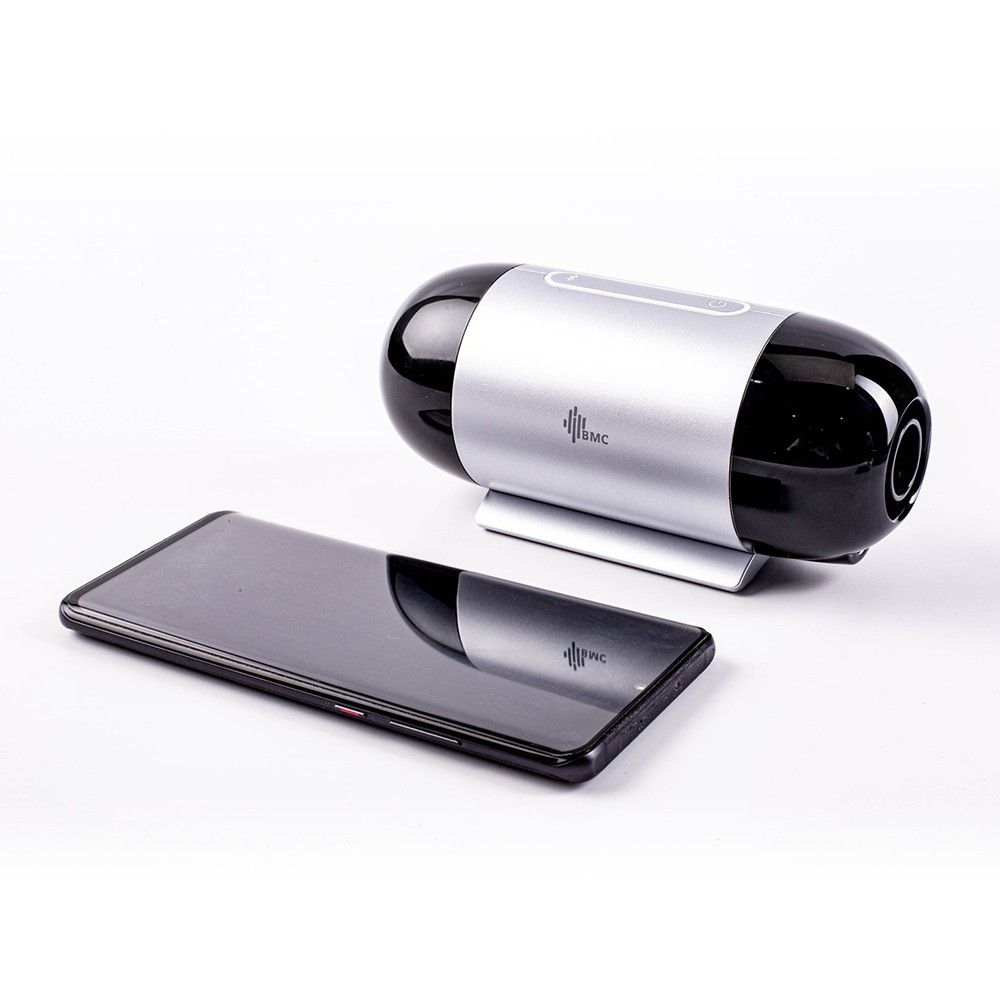
The BMC M1 Mini is a compact Automatic CPAP (APAP) device designed with travel in mind. Measuring 159mm x 66mm x 72mm and weighing only 400gm, it is one of the smallest devices on the market. 

While the BMC M1 Mini is compact in size, it does not compromise functionality or therapy quality with the same clinical and comfort features available in the standard G3 CPAP series. Humidification can be added by using the BMC Waterless Humidification CPAP Masks with Heat and Moisture Exchange. 

Accessing patient data is quick and simple using the BMC iCode Connect software. Patients can access their own data by using the BMC LightTrip Companion App, which is available for Android and iOS.

Product Highlights: 

  • Normal CPAP 22mm mask connection – The customer can choose to use their existing mask if they prefer!
  • 4-20cm H20 therapy pressure
  • Validated algorithms with clinician controls for algorithm sensitivity
  • Optional SmartA feature that adjusts treatment based on recent therapy results
  • Central apnoea detection
  • Auto-ramp
  • RESlex – with three comfort settings which reduces pressure on exhalation
  • Multiple methods of data access including:
    • SD Card via PAP Link software
    • Remote monitoring via iCode Connect Cloud
    • BMC LightTrip Companion App
  • Compatible with BMC Waterless Humidification CPAP Masks with Heat and Moisture Exchange 
  • Accessory replacement reminders
  • AC Power Consumption: 100-240 V AC, 50 / 60 Hz, 1.0 A max
  • Device Input: 19 V, 1.26 A
  • Sound Level: <30 dB, when the device is working at the pressure of 10cm H20
  • The BMC M1 Mini is TGA registered
  • Optional Accessories
    • Heat and Moisture Exchange Mask
    • DC/DC Convertor
    • MEDISTROM Pilot-24 battery with connector kit.

Software

If you don’t have a log in for the BMC PapLink Portal, contact your system administrator to create an account for you.

If you are the system administrator and need assistance setting up an account email [email protected]

LightTrip Companion App

iPhone

Android

With the new version of the PapLink portal *launched July 2024, data will be directly uploaded to the iCode portal through the Light Trip App.

Training

Please follow these links to access a range of BMC training resources.

M1 MINI TUTORIALS M1 MINI MANUALS

Marketing

Please follow this link to access the relevant marketing materials:

M1 MINI MARKETING ORDER BROCHURES & DISPLAYS

Warranty

Please follow this link to access the warranty claim procedures documents

Service Warranty Form

To make a warranty claim or send a device for service, complete the Service Form and follow the instructions on the form for next steps. If in doubt, contact your rep for troubleshooting.

M1 Mini Device – 3 years from purchase

Power cord and adapter – 90 days from purchase

DC Converter – 90 days from purchase

FAQs

Yes, the M1 Mini has many of the same features as most other devices to make it a viable option for day-to-day use. 

Yes, the M1 Mini is compatible with any CPAP mask. 

To add humidification, the devices should be used with a humidified mask: 

To access the clinical menu on a BMC Mi Mini Travel CPAP device, please first ensure the device is connected to the BMC LightTrip/Mini App on your device. Once connected, from the home screen hold the central ‘Power’ Button and ‘Settings’ button together simultaneously for 5 seconds.

Sensitivity allows you to adjust how aggressive the algorithm is when responding to apnoeas. BMC Sensitivity Algorithm.pdf
Sensitivity is divided into 5 levels where 5 indicates the most aggressive pressureadjustment while 1 indicates the least aggressive response. 

When activated, the SmartA feature allows the device to adjust the minimum treatment pressure based on P95 for the previous 5 nights of therapy. 

Currently you can create reports using the Light Trip App and select the reports tab. These can also be emailed by using the share button in the top corner of the app.

With the new version of the iCode Connect portal *due June 2024  data will upload directly to the iCode portal through the Light Trip App. 

Here is a quick guide for how the score is calculated: Usage Score Calculations in M1 App.pdf

These should be replaced every 30 days or when no longer white. 

Back to product resources