


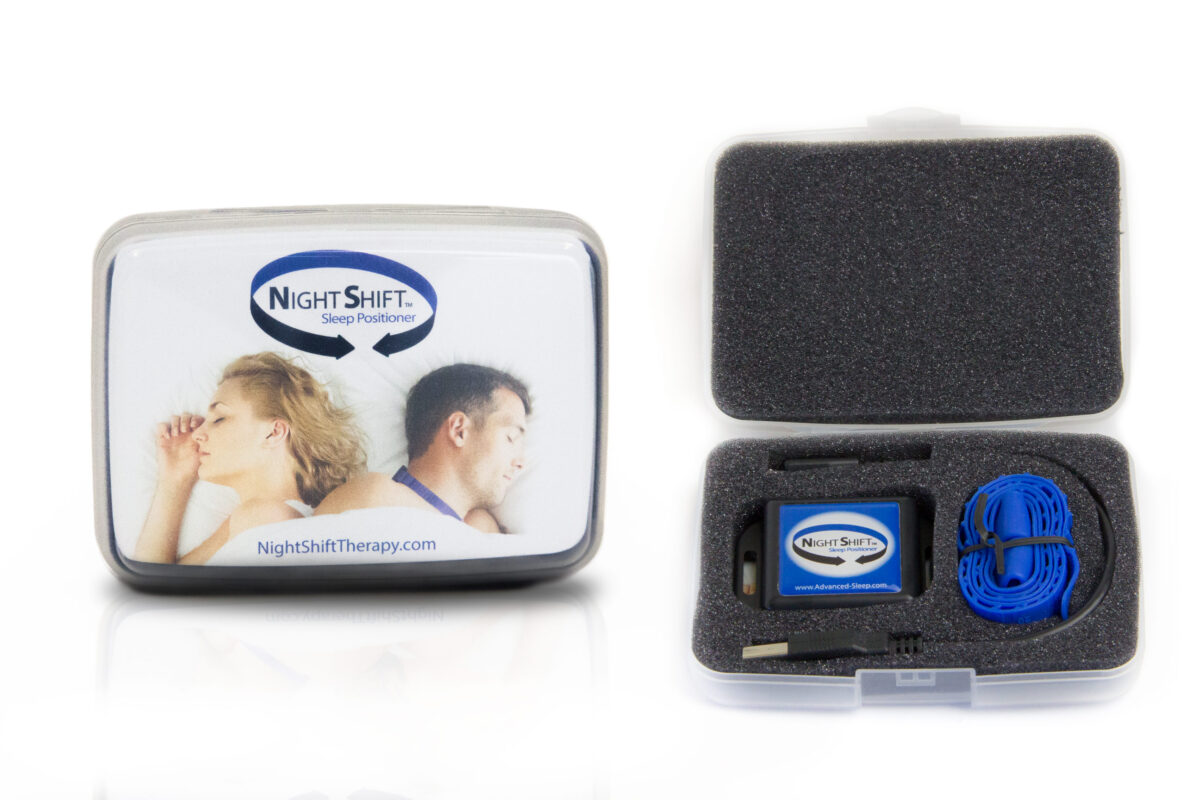
Bmedical Background 524019358

NightShift Device

Nightshift 01

News

If you are having an issue with accessing the Night Shift portal or software you may be using an old link that is no longer valid.

    abm-night-shift-app://night-shift?processServerLocation=https://cportal.advanced-sleep.com/night-shift&supportPageUrl=https://cportal.advanced-sleep.com/night-shift/home

      • Click OK

    NightShift Exporter Software

    Please use the updated Night Shift Exporter software to export data from your device in CSV format. Click the button below to download the latest version of the software and view step-by-step instructions.

    DOWNLOAD INSTRUCTIONS

    About

    The NightShift Device

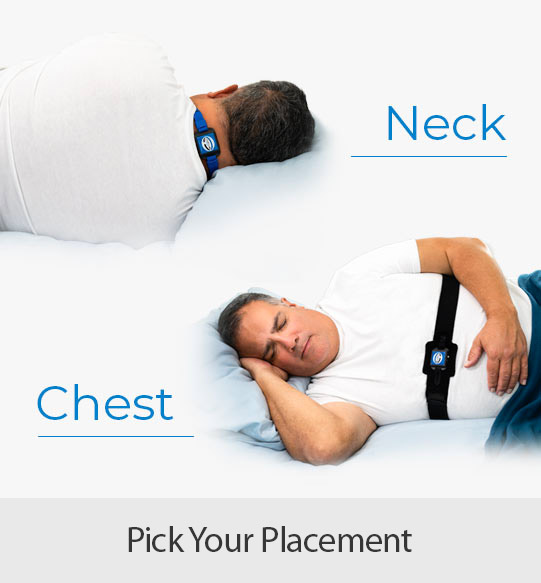
    The NightShift Device is a simple, non-invasive treatment option for positional sleep apnoea. NightShift is worn around the neck or the chest and uses vibrotactile feedback to discourage supine sleep and treat mild to moderate sleep apnoea and positional snoring.

    Supine feedback is initiated only after the patient falls asleep and the frequency and intensity of the feedback adapts to meet the requirements of each user. Web-based reports provide compliance information associated with changes in sleep position, efficiency, and snoring. The low-profile enclosure and multiple placement options provide a comfortable, safe, and secure fit.
    Nightshift 02

    Key Features of the NightShift device:

    • Monitoring Mode for diagnostic reporting and Therapy Mode for therapeutic intervention
    • Monitors up to 365 days of user compliance, treatment efficacy, sleep efficiency, sleep fragmentation, and loud snoring levels (dB).
    • USB charging/data upload port | A single charge lasts for up to 3 nights and wearers will be alerted to charge status upon start up.
    • Lightweight – weighs 1.6 ounces when worn with a neck strap
    • 2 placement options for wearers (neck or chest)
    • Free Apple and Android Patient App
    • Free Online Clinicians Portal for report downloads-PC or MAC compatible https://cportal.advanced-sleep.com/night-shift/home  – Requires Java
    Software

    Download the free Apple and Android Patient App.

    APP STORE GOOGLE PLAY

    Online Clinicians Portal for report downloads. PC or MAC compatible. Requires Java.

    ACCESS PORTAL

    If you are unable to access the online portal, please download the desktop software to access patient reports and data. Access software instructions here

    DOWNLOAD SOFTWARE

    App and Portal FAQS

    If you are experiencing trouble with the NightShift App or Portal, please view these support pages from our partners ABM. 

    APP FAQS PORTAL FAQS

    Training

    The Night Shift device is worn around the neck or chest during sleep, and it monitors which position the patient is sleeping in. If the patient rolls into the supine position, the device will deliver a subtle vibration, slowly increasing in intensity until the patient changes position. Through continual use patients gradually become trained to avoid sleeping in the supine position.

    Night Shift is clinically proven to treat Positional Obstructive Sleep Apnoea and positional snoring, improve sleep architecture and sleep continuity, and reduce sleep apnoea symptoms including daytime sleepiness.

    more nightshift training resources

    Marketing

    Please follow this link to access the relevant marketing materials:

    more marketing materials order displays & brochures

    Warranty

    Please follow this link to access the warranty claim procedures documents

    Service Warranty Form

    Night Shift device 1 year from purchase.

    Night Shift strap 6 months from purchase.

    To make a warranty claim or send a device for service, complete the Service Form and follow the instructions on the form for next steps. If in doubt, contact your rep for troubleshooting.

    Money Back Guarantee

    Please follow this link to access the warranty claim procedures documents

    Money Back Guarantee

    To be eligible for the money back guarantee, the patient must have completed consecutive 30 days of treatment with no response to therapy indicated on the download (continuing to sleep on back while wearing device).

    FAQs

    The Night Shift device is worn around the neck or chest during sleep, and it monitors which position the patient is sleeping in. If the patient rolls into the supine position, the device will deliver a subtle vibration, slowly increasing in intensity until the patient changes position. Through continual use patients gradually become trained to avoid sleeping in the supine position.

    The device measures the 3-dimensional position of the neck and makes a position call based on the angles and any ongoing movement. Once the device recognizes that the patient is in the supine position, it will continue to register supine even if there is a small change in position, erring on the side of registering supine rather than less during the period of transition. This approach helps reduce unnecessary position changes during brief or subtle adjustments. 

    To better understand how and when the device triggers vibrations, we recommend performing a vibration test by follow the steps below: 

    1. Ensure the device is powered off.
    2. Press and hold the power button for approximately 7 seconds, or until the device vibrates.
    3. Position the device to simulate a supine (on your back) posture:
      1. If using the neck strap, hold the device with the blue label facing down.
      2. If using the chest best, hold the device with the blue label facing up.
    4. Place two fingers on the blue label to feel for vibrations.
    5. After about 30 seconds, the device should begin vibrating.
    6. Move the device in and out of the supine position to observe when vibrations start and stop based on orientation.
    7. Power off the device once the test is complete. 

    There is a small microphone embedded in the device.

    NightShift is clinically proven to treat Positional Obstructive Sleep Apnoea and positional snoring.

    NightShift can also be used as a combination therapy for patients who struggle with compliance or efficacy on their primary therapy due to increased severity of their apnoea in the supine position. IE: the patient requires a CPAP pressure of 15cm when they are in the supine position and are unable to tolerate this pressure. In non-supine positions the patient requires a lower pressure that they can tolerate. Use Night shift in conjunction with CPAP in this instance to keep the patient in the non-supine position where pressure requirements are lower.

    It uses a built-in tri-axes accelerometer.

    No,  a prescription is not required.

    Night Shift users should not:

    • Have cardiac arrhythmia with an artificial pacemaker
    • Have skin sensitivity or an open wound around their neck
    • Have a neck size that is very small (less than 12in/30cm) or a very large (greater than 22in/55cm)
    • Sleep with their head in a near upright position
    • Or suffer from tics or tremors of the head.

    The Night Shift devices generates localised magnetic fields (less than 0.02mT) that must be kept at least 6in/15cm from an implanted medical device of the user or bed partner.

    The neck strap can be adjusted to accommodate a maximum of a 22 inch (56 cm) neck. The Night Shift Chest Belt can also be used as an alternative to the Neck Strap and can accommodate chest sizes up to 59 inches.

    The device can store up to 8 nights (7 most recent + base line, if it exists) of detailed daily reports, up to 90-nights of compliance data, and 365 nights of data used for the monthly and yearly reports.

    Yes, NightShift can be used for multiple patients in properly sterilized between patients.

    Yes, Night Shift is TGA registered.

    The NightShift straps should be replaced when they start to show signs of wear (between 6-12 months) or are no longer securing the device in place.

    The NightShift device should be replaced approximately every 2 years.

    Strap: Detach the straps from the device. Wash each strap separately by submerging in solution of 1 teaspoon (5 ml) of mild dish detergent (ie: Dawn) per gallon (4 liters) of water. Agitate slightly for one to two minutes. Rinse with clear warm tap water for one minute. Dry with a clean paper towel.

    Device: Wipe all surface areas of the device enclosure with a 70% isopropyl alcohol wipe. All surface areas should remain wet for at least 15 seconds. Using a new alcohol wipe, repeat the cleaning; allow to remain wet for 15-seconds. If any visible soil remains, repeat as needed. Allow to air-dry.

    When the device is turned on, it will vibrate 1-3 times and blink green 1-3 times, depending upon how many nights the device has battery charge sufficient to record. The device will then continue to blink green for 5 minutes. After 5 minutes, the LED will display a solid green light which means the device is recording as expected.

    The Battery is flat. Please charge for 6 hours from a wall charger or until the solid green LED
    switches off. (A solid green LED means that the device battery is charging, when it switches off the battery is fully charged). If you don’t believe the Night shift is charging please try another cord and charging from a wall outlet.

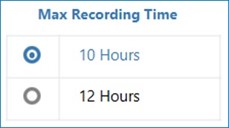
    To conserve the battery and increase the accuracy of your report, the Night Shift automatically turns off after 10 hours. If you need to change the setting to 12 hours instead of 10 hours, follow these steps:

    1. Open the Night Shift Portal Software (or follow the directions above to download, install and open the software)
    2. Plug in your Night Shift device
    3. Click Manage Device
    4. Click F12 on your keyboard and the Max Recording Time option will appear
      Nightshift 03
    5. Click 12 hours and click Save

    You can access the free Online Clinicians Portal for report downloads here  – * PC or MAC compatible – Requires Java

    When we detect supine position AND feedback is off we mark as gray.  The device is defaulted to delay delivery of feedback until 15-minutes after the device has been turned on (this allows the person to fall asleep on their back.  This 15-min period is also classified as ‘wake’ independent of the actigraphy.

    When the device is worn in Trial Mode, on Night 1 of the trial, position feedback is not delivered.  The idea behind the ‘trial’ mode is to obtain a baseline night to see how often the patient sleeps on their back.  When Feedback is on, Supine = Red.  When feedback is off, Supine = Grey.

    We can save six nights of detailed (30-sec epoch) data.  When the device is in ‘trial’ mode, it saves the first “Feedback Off” night permanently and then saves the 5 most recent detailed “Feedback On” reports.

    We count the number of times in each 30 sec epoch that a snore passes the 40, 50 and 60 dB threshold.  We plot one line of snoring for each 30-sec period.  Darker (lighter) lines indicate greater (fewer) numbers of snores within the 30-sec period at the plotted snore loudness.

    This is number of feedbacks delivered.  A feedback interval is 2-seconds.  Feedback is delivered at the same level of intensity for 3 consecutive times (6 seconds), then increases in intensity for each following level.

    There are a total of seven levels of feedback intensity. The maximum helps to identify when a user is non-responsive to the feedback.  We have seen isolated instances when the user is non-responsive for up to 1/2 hour.  It usually occurs at the end of the night, possibly when the user is in REM sleep.

    The manufacturer uploaded a new version of the Night Shift Mobile App on November 3rd to the Google Play Store that for some Android versions it now requires the Nearby Devices permission to be turned on to pair the device. Please confirm that setting is enabled before attempting to pair the device. Instructions on how to turn on the Nearby Devices permission are below: 

    • Fully close the Night Shift app 
    • Open the Settings app on your Android device
      A screenshot of a phone Description automatically generated
      • Locate the Communications option for your device and enable the “Nearby devices” setting (This may be under “More connection settings”)
      • Locate the Apps section and locate the Night Shift App
      • Locate the Permissions and select allow on Nearby Devices Permission
      A screenshot of a phone Description automatically generated
      • Open the Night Shift and try the pairing process again. 

      Other things to keep in mind for a successful pairing process: 

      • Location services must also be enabled on the mobile device and for the Night Shift app
      • The Bluetooth must be active on both the mobile device and the Night Shift device. The Bluetooth in the Night Shift LE device is active in the following circumstances:
        • Night Shift LE device is plugged into a power source 
        • During the first 15 minutes after the Night Shift LE device is turned OFF. 
        Back to product resources